Search
You can search for a customer account or quote or submission by selecting Customer Account Name or Quote ID or Submission ID from Search dropdown and providing the relevant keyword in the Search field.
The application fetches the customer’s records matching with the keyword provided.
Advanced Search
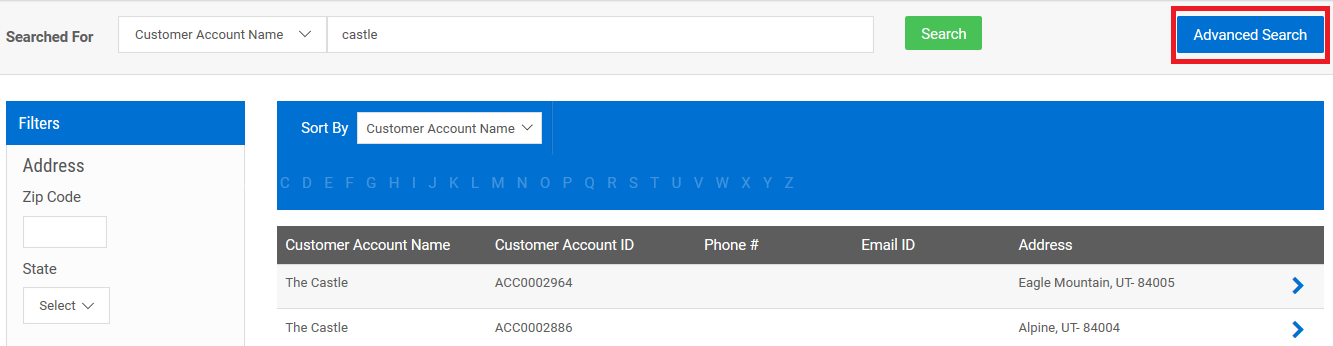
To fetch more relevant results, use Advanced Search after the search results are displayed.
Customer Account Name
You can search for a customer account using multiple search criteria such as Customer Account Name, Email, Contact Number, FEIN, and Address.
Quote ID
You can search for a quote using multiple search criteria such as Quote ID, Customer Account Name, Product, State, and Status.
Note: The advanced search option is available when you start searching for a customer or quote or submission from the dashboard.
Sort and Filter
You can further sort and filter based on Customer Account Name or Quote ID.
Customer Account Name
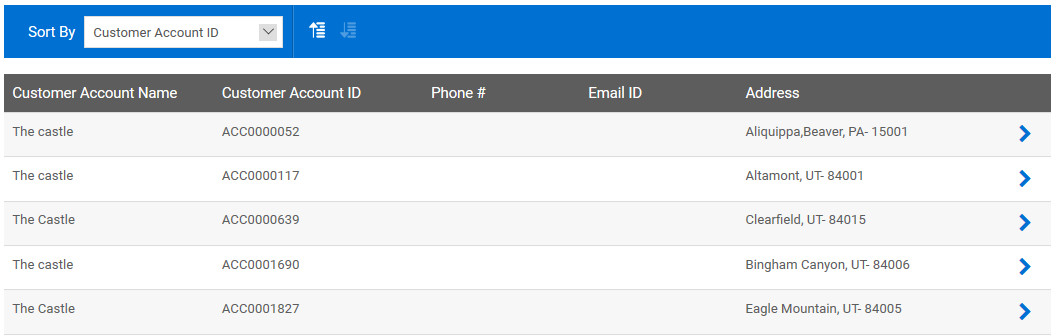
You can sort the search results based on Customer Account Name and Customer Account ID in alphabetical or numerical order.
The search results can be filtered based on address details such as Zip Code, State, and City.
Quote ID
You can sort the search results based on Customer Account Name, Agency Name, Quote ID, Transaction Date, and Policy Effective Date in alphabetical or numerical order.
The search results can be filtered based on criteria such as Product, State, Status, Agency Name, and Date.
Submission ID
You can sort the search results based on Customer Account Name, Agency Name, Submission ID, and Created Date in alphabetical or numerical order.
The search results can be filtered based on criteria such as Product, Submission ID, Customer Account Name, Agency Name, and Status.